
LLM on a Budget series
- Part I — The hardware plan
- Interlude — Gemma 4 on laptop hardware
- Part II — The build
- Part III — Software, the 4am saga, and benchmarks
- Companion — Model comparison deep dive
- Part IV — GPU upgrade, six models, 16GB VRAM
The beast, assembled
Since Part II, the RTX 2060 Super finally arrived and went in. No cable management. No proper BMS. Just a motherboard, a GPU that makes the board look considerably smaller than it did sitting on its own, and a pair of rear-mounted SSDs held in with brackets that have appeared in this series before.
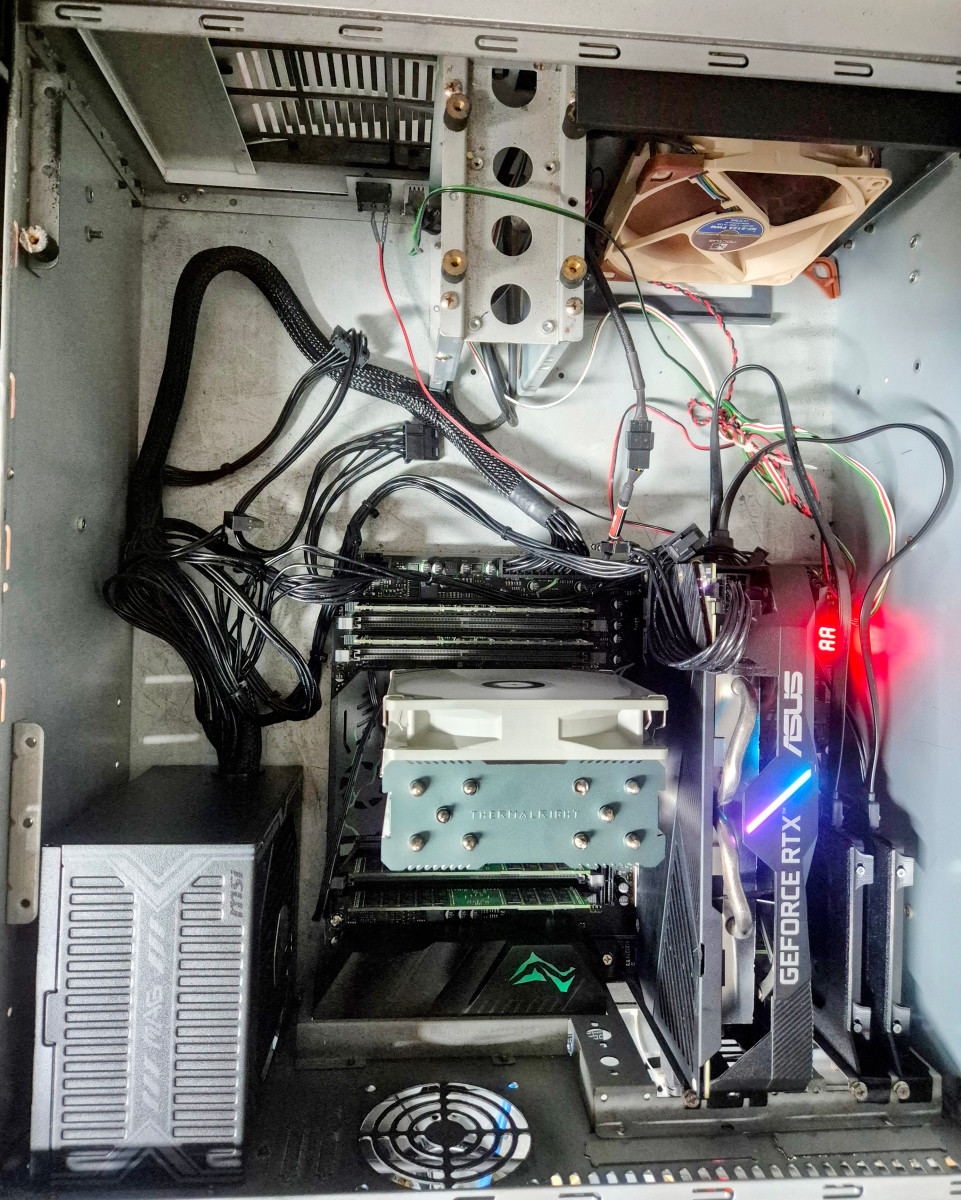
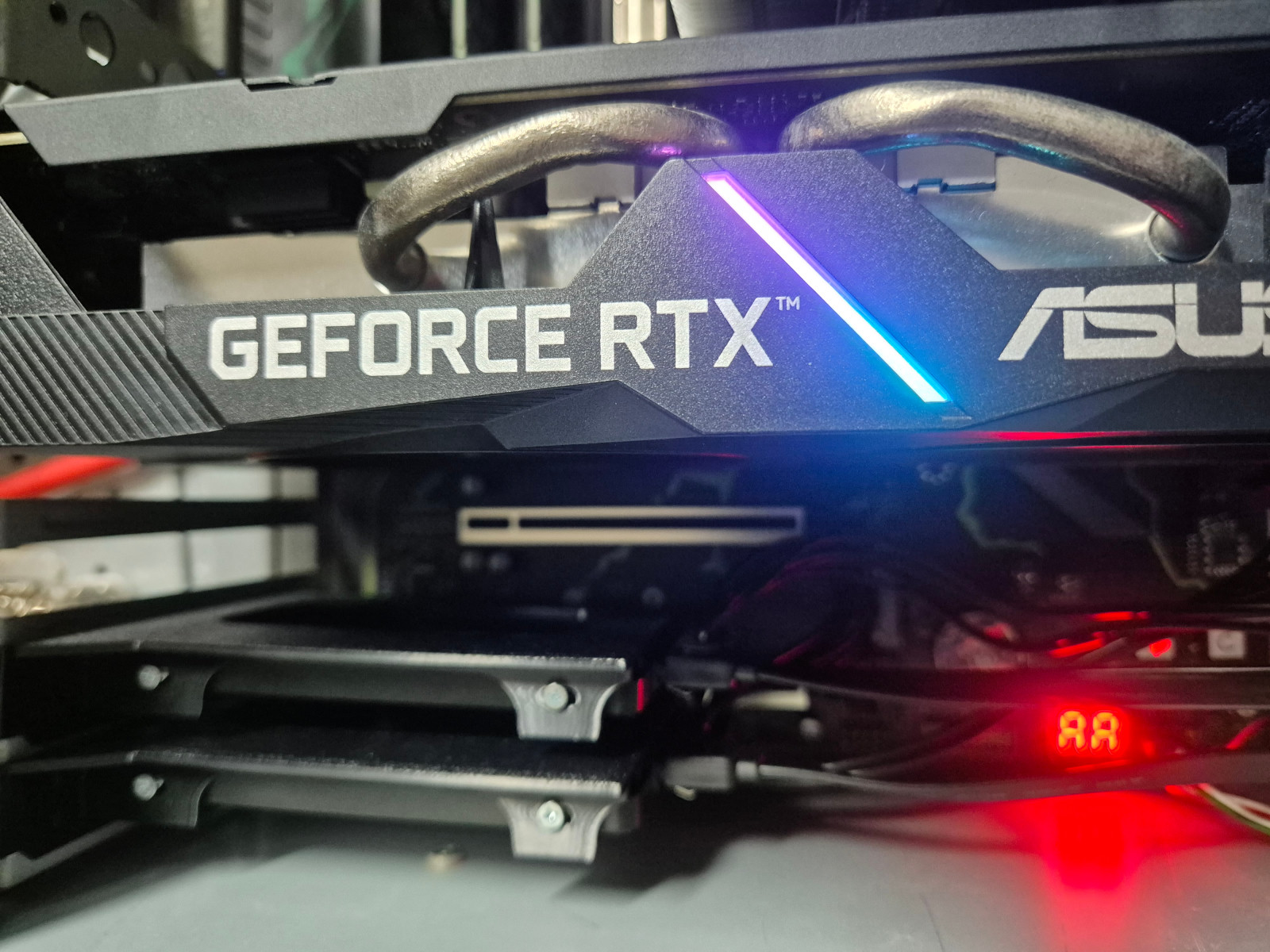
A Sipeed NanoKVM PCIe card is on its way for remote console access — useful for a machine that's going to live in the rack rather than on a desk. Cable management may happen once that's installed and everything is in its final position. Or it may not. We've covered my track record with these things before.
The 4am saga, resolved
Part II ended with an hour and a half of my life at 4am that I wasn't sure I'd get a satisfying explanation for. Here's what was actually going on.
The initial plan — worked out in conversation with Google's AI — was to run LM Studio in headless/server mode and have Open WebUI act as the front-end, talking to LM Studio's local API. Conceptually fine. In practice, two things went wrong at once.
First, images weren't displaying in Open WebUI at all — not a huge issue for text-based work, but a sign something in the integration wasn't quite right.
Second, and far more frustrating: LM Studio's local server runs on http://127.0.0.1:1234/v1. Every time I gave Google's AI this URL, it would come back having silently truncated it to http://127.0.0 — missing the port, the path, all of it — and then proceed to debug everything else on the assumption that the URL was correct. Network configuration, firewall rules, Docker networking between containers — all examined and adjusted, repeatedly, while the actual problem sat untouched in the one piece of information that kept getting silently mangled on the way in.
For the record: I checked, re-typed, and explicitly confirmed that URL more than once. It kept coming back truncated, and each time, the troubleshooting moved on to blame something else entirely — Docker network bridges, CORS settings, firewall rules — never the URL itself.
Eventually, after I'd woken up enough to actually read what was being sent rather than just react to the suggestions, the truncation became obvious and I started correcting it manually each time. With the correct URL in place, models started loading and responding. Kind of.
The "kind of" is important. The moment I asked anything that required actual reasoning — rather than a simple completion — the response would throw a streaming error partway through. Short, simple prompts: fine. Anything with multiple steps or that required the model to think before answering: broken.
Google's AI and I went around this a couple more times. Eventually — and to be fair, this was a reasonable call once it actually got there — it concluded that running LM Studio in headless mode was the underlying problem, and recommended switching the backend to Ollama instead, keeping Open WebUI as the front-end.
This is where things turned around. With Ollama in place, the localhost URLs were suddenly correct — no truncation, first try. Models loaded, responded to simple and complex prompts alike, and the streaming errors disappeared entirely.
The honest summary of 4am: two unrelated problems — a URL truncation bug that derailed troubleshooting for over an hour, and an LM Studio headless-mode issue that caused streaming failures on anything requiring reasoning — compounded into something that felt much larger than either was individually. Switching to Ollama fixed both, though probably more by accident (different software, different defaults) than because Ollama specifically solved the URL truncation issue. I still don't fully understand why the URL kept getting mangled. At 4am, "it works now" was good enough.
Starting point: CPU-only performance
Before the GPU arrived, I ran a baseline using gemma4:e4b (a 7.5B parameter model, Q4_K_M quantisation, 8.01GB) on CPU alone — the Xeon E5-2640 v3 doing all the work, with the full 128GB of RAM available.
The result was remarkably consistent: across three test prompts of increasing complexity and context length, generation speed held steady at ~10 tokens/second, even as context approached the 4096-token default limit. No degradation, no slowdown — just a flat, predictable ~10 t/s regardless of what was being asked.
For comparison, the laptop's hybrid CPU/GPU setup — a Core i7-8850H with a 4GB Quadro P1000 Mobile — managed 6.3–6.8 t/s on the same prompts, and did degrade as context grew. The dedicated build's pure CPU path, with far more RAM bandwidth and no cross-bus overhead between system RAM and a small VRAM pool, comfortably outperformed the laptop's "hybrid" setup before the new GPU had even been fitted.
Then the GPU went in
With the RTX 2060 Super installed and Ollama confirmed working, the same gemma4:e4b model on the same prompts produced generation speeds in the 50–60 tokens/second range — roughly 5–6x the CPU-only result, and 8–9x the laptop's hybrid setup.
But the first run also produced a truncated response — cut off mid-table, mid-cell, with the model adding a premature "due to length constraints" closing statement despite having only completed a fraction of what was asked. The default Ollama context window is 4096 tokens, and a sufficiently demanding prompt will hit that ceiling regardless of how fast the GPU is.
Fixing the context window
Two settings needed adjusting, and neither is obvious if you're not specifically looking for them:
OLLAMA_CONTEXT_LENGTH— an environment variable for the Ollama service itself, set via a systemd override. This controls the maximum context window across all models.num_predict— a generation parameter (configurable in Open WebUI) that caps how many tokens a single response can produce, independent of the context window. Left at its default, this can truncate a response even if the context window itself has room.
I tried 8192 first — double the default. Generation speed held at ~52 t/s, barely different from the 4096 result, but a sufficiently large prompt still hit the ceiling and truncated, just later.
Bumping to 32768 — 8x the default — and unlocking num_predict changed the outcome entirely: speed actually increased slightly to ~59 t/s, and a six-section technical specification document that had previously been cut off mid-table completed in full, all sections, ending naturally rather than truncating.
Throughout all of this, nvidia-smi showed VRAM usage sitting flat at around 3.6GB for gemma4:e4b — regardless of whether the context window was 4096, 8192, or 32768. The KV cache for this model and context range appears to live in system RAM rather than VRAM, which likely explains why increasing the context window cost essentially nothing in speed.
The numbers, side by side
All tests used the same model (gemma4:e4b) and the same prompt — a deliberately demanding six-section technical specification request designed to stress both context length and generation depth.
| Configuration | Generation speed | Result |
|---|---|---|
| Laptop (hybrid CPU/GPU, 4096 ctx) | 6.3–6.8 t/s, degrading | Hallucination loops on long sessions |
| Dedicated build, CPU only (4096 ctx) | ~10 t/s, flat | Stable but slow |
| Dedicated build, GPU (4096 ctx) | ~55 t/s | Fast, but truncates large responses |
| Dedicated build, GPU (8192 ctx) | ~52 t/s | Still truncates very large responses |
| Dedicated build, GPU (32768 ctx, unlocked num_predict) | ~59 t/s | Fast AND complete |
The configuration that actually works isn't the default, and isn't the first "more headroom" step either — it's the combination of a much larger context window and an unlocked output limit, which together cost nothing in speed and fix the completeness problem entirely.
What about other models?
With the GPU configuration settled, I ran the same demanding prompt against three other models to see how they'd fare: qwen2.5-coder:7b (similar size to e4b, but code-specialised), qwen2.5-coder:32b, and gemma4:31b (both substantially larger than the 8GB VRAM budget).
| Model | Speed | VRAM | Completed all 6 sections? |
|---|---|---|---|
| gemma4:e4b | ~59 t/s | 3.6GB | Yes — correctly |
| qwen2.5-coder:7b | ~53 t/s | 6.2GB | Yes, but thin & incorrect |
| qwen2.5-coder:32b | ~2.2 t/s | 6.5GB | Yes, but slow & buggy |
| gemma4:31b | ~1.9 t/s | n/a | Yes — best architecture, 34 min |
The headline speed numbers only tell part of the story here. All four models "completed all six sections" in the sense that headings for all six sections appeared in the output — but what's underneath those headings varies enormously, and not in the way you'd expect from the parameter counts alone.
The two qwen2.5-coder models — the ones explicitly marketed as code specialists — both made the same significant error: the brief explicitly stated that PostgreSQL runs on dedicated VMs, not in Docker, and both qwen models included PostgreSQL as a Docker Compose service anyway, directly contradicting a stated architectural constraint. The 32B version additionally produced Python code with broken dependency injection and undefined variable references — bugs that would fail at runtime, not just gaps to fill in.
gemma4:e4b — the smaller, general-purpose, fast model — got the architectural constraint right, produced complete SQL schema definitions, and structurally sound (if occasionally pseudocode-level) implementations throughout.
gemma4:31b went further still: it was the only model that recognised "one database per tenant on dedicated VMs" as a routing problem, designing a "tenant switch" pattern where the application dynamically selects a database connection based on a per-tenant host/credentials lookup. None of the other three models addressed this at all. The catch: 34 minutes for one response, with 225 seconds of visible "thinking" before it even started writing.
Want the full breakdown?
The complete side-by-side analysis — including the actual broken code from qwen2.5-coder:32b, the full schema designs, and a section-by-section comparison of all four models against the original brief — is written up separately. It's long, it's detailed, and it's probably more useful as a reference than as part of this story.
Read the full model comparison →So, was it worth it?
For the original goal — offloading the mundane, repetitive work that doesn't need a frontier model — yes, comfortably. gemma4:e4b at ~59 t/s with a 32K context window is genuinely pleasant to work with: fast enough that waiting isn't the bottleneck, and with enough context headroom that it doesn't lose track of what you asked for partway through a session, which was the entire failure mode that started this series.
The bigger models were a useful experiment but not a practical option on this hardware — 32B-class models either run too slowly to be usable (qwen2.5-coder:32b, gemma4:31b) or, in qwen's case, also got the architecture wrong despite the extra size and "coding" specialisation.
The most surprising result of the whole series: the general-purpose model beat both code-specialist models at a coding task, on speed and on correctly following the stated architecture. Bigger and "more specialised" didn't translate to better here — and that's worth remembering next time a benchmark chart tries to tell you otherwise.
Total cost of the build, recapping from Part I: salvaged RAM and CPU, a budget motherboard, a secondhand GPU, and a 25-year-old case that's outlasted everything that's ever lived inside it. For what it's now doing, that's a good trade.